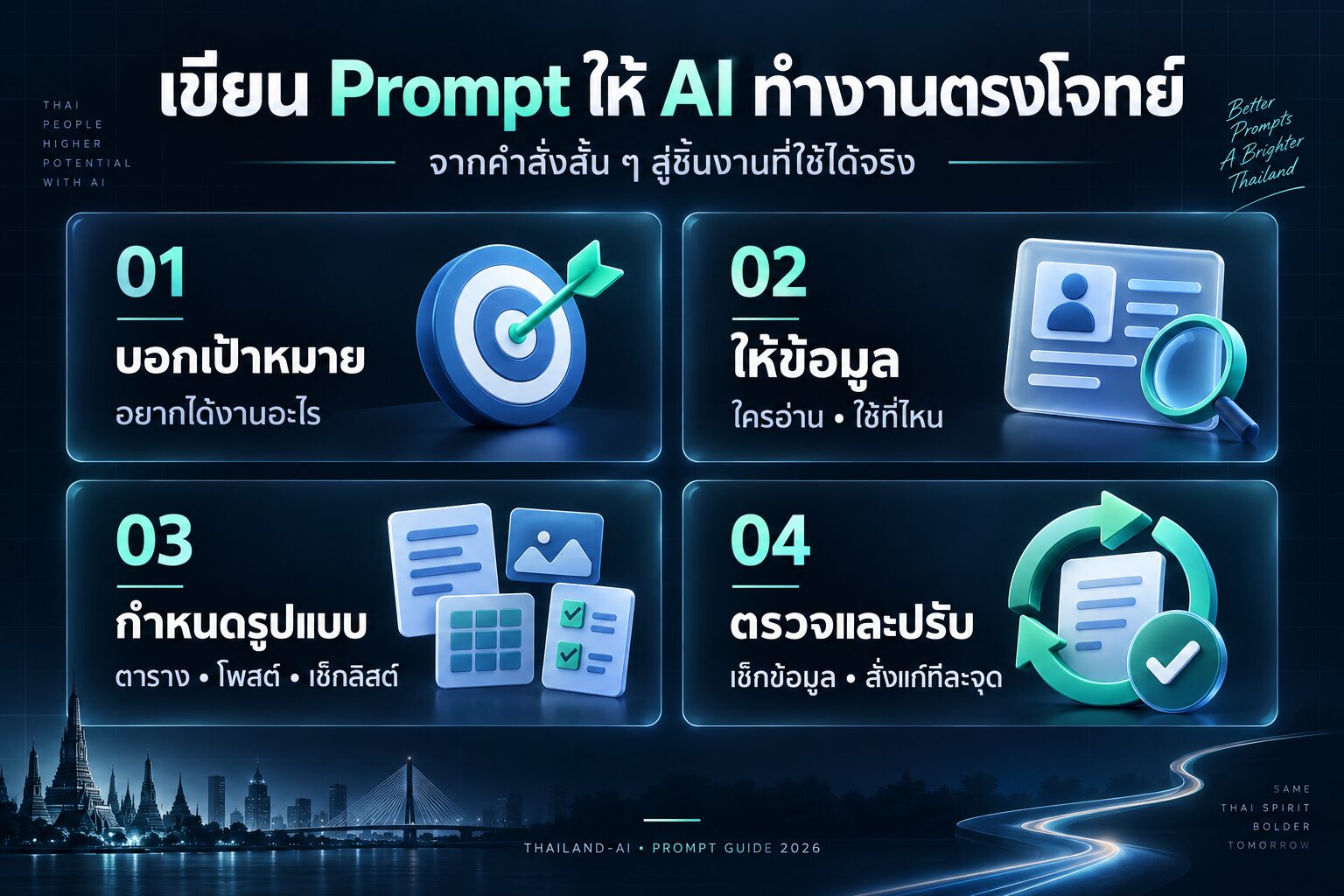
ท่านสามารถเลือกใช้งานAIจากค่ายไหนก็ได้ครับ
| คุณสมบัติ | ChatGPT | Microsoft Copilot | Claude | Gemini | Perplexity |
|---|---|---|---|---|---|
| ผู้พัฒนา | OpenAI | Microsoft | Anthropic | Perplexity AI | |
| โมเดลพื้นฐาน | GPT-3.5/GPT-4 | GPT-4 | Claude | PaLM 2/Gemini | GPT-3.5/GPT-4 |
| การรองรับภาษา | หลายภาษา | หลายภาษา | หลายภาษา | หลายภาษา | หลายภาษา |
| ความสามารถในการประมวลผลภาพ | มี (GPT-4) | มี | มี | มี | มี |
| การเข้าถึงข้อมูลเรียลไทม์ | ไม่มี | มี | ไม่มี | มี | มี |
| ความสามารถในการเขียนโค้ด | ดี | ดีมาก | ดีมาก | ดี | ดี |
| การใช้งานฟรี | มีแบบจำกัด | มี | มีแบบจำกัด | มี | มี |
| แพลตฟอร์มที่รองรับ | เว็บ, มือถือ | Windows, Edge | เว็บ, API | เว็บ, มือถือ, API | เว็บ, มือถือ |
| ความสามารถในการสร้างเนื้อหา | ดีมาก | ดีมาก | ดีมาก | ดีมาก | ดี |
| การอ้างอิงแหล่งข้อมูล | ไม่มี | มี | ไม่มี | มี | มี |
ใช้งานChatGPT https://chatgpt.com/
ใช้งาน microsoft Copilot https://copilot.microsoft.com/
ใช้งาน Gemini https://gemini.google.com/app
ใช้งาน perplexity https://www.perplexity.ai/


- “วิเคราะห์จุดแข็งและความเชี่ยวชาญของฉัน แล้วเสนอแนะ 3-5 หัวข้อที่ควรใช้เป็นแกนหลักในการสร้างแบรนด์ส่วนตัว”
- “ช่วยสร้างประโยคสั้นๆ ที่สื่อถึงตัวตนและคุณค่าของฉัน (Personal Brand Statement) ไม่เกิน 20 คำ”
- “แนะนำวิธีการสร้าง Unique Selling Proposition (USP) ที่แตกต่างจากคนอื่นในวงการเดียวกัน”
- “เสนอไอเดีย 5 หัวข้อบล็อกที่น่าสนใจและสอดคล้องกับความเชี่ยวชาญของฉัน เพื่อสร้าง Thought Leadership”
- “ช่วยวางแผนการสร้างคอนเทนต์บน LinkedIn เป็นเวลา 1 เดือน โดยเน้นการสร้างภาพลักษณ์ผู้เชี่ยวชาญในด้าน [ระบุสาขา]”
- “แนะนำเทคนิคการเขียน Bio สั้นๆ สำหรับโปรไฟล์โซเชียลมีเดียที่ดึงดูดความสนใจและสื่อถึงแบรนด์ส่วนตัวได้อย่างชัดเจน”
- “ช่วยออกแบบ Visual Branding ที่สอดคล้องกับบุคลิกและสไตล์ของฉัน เช่น โทนสี ฟอนต์ และองค์ประกอบกราฟิก”
- “เสนอแนวทางการสร้าง Personal Website ที่สะท้อนตัวตนและความเชี่ยวชาญของฉัน พร้อมหัวข้อสำคัญที่ควรมี”
- “แนะนำวิธีการเลือกและใช้รูปโปรไฟล์ที่เหมาะสมกับแบรนด์ส่วนตัว เพื่อสร้างความน่าเชื่อถือและจดจำ”
- “ช่วยสร้างแผนการโพสต์บน Twitter เพื่อแสดงความเชี่ยวชาญในด้าน [ระบุสาขา] และสร้างการมีส่วนร่วมกับผู้ติดตาม”
- “เสนอไอเดียการทำ Video Series บน YouTube ที่แสดงถึงความเชี่ยวชาญของฉันและดึงดูดกลุ่มเป้าหมาย”
- “แนะนำวิธีการสร้างและรักษาเครือข่ายความสัมพันธ์ทางวิชาชีพ ทั้งออนไลน์และออฟไลน์”
- “ช่วยเขียนสคริปต์สำหรับการแนะนำตัวในงาน Networking Event ที่กระชับและน่าสนใจ ไม่เกิน 30 วินาที”
- “เสนอหัวข้อและโครงร่างสำหรับการเขียน E-book ที่แสดงความเชี่ยวชาญและสร้างมูลค่าให้กับแบรนด์ส่วนตัว”
- “แนะนำเทคนิคการใช้ Instagram Stories เพื่อแสดงเบื้องหลังการทำงานและสร้างความใกล้ชิดกับผู้ติดตาม”
- “ช่วยออกแบบ Signature Talk หรือหัวข้อการบรรยายที่เป็นเอกลักษณ์ของฉัน สำหรับงาน Public Speaking”
- “เสนอแนวทางการสร้าง Personal Newsletter ที่น่าสนใจและมีคุณค่าต่อผู้อ่าน พร้อมหัวข้อสำหรับ 5 ฉับแรก”
- “แนะนำวิธีการใช้ LinkedIn Articles เพื่อแสดงความเชี่ยวชาญและสร้าง Thought Leadership ในวงการ [ระบุสาขา]”
- “ช่วยสร้างแผนการทำ Personal Podcast ที่สอดคล้องกับแบรนด์ส่วนตัว พร้อมหัวข้อสำหรับ 10 ตอนแรก”
- “เสนอไอเดียการทำ Collaboration กับผู้เชี่ยวชาญในสาขาที่เกี่ยวข้อง เพื่อขยายเครือข่ายและเพิ่มความน่าเชื่อถือ”
- “แนะนำวิธีการสร้างและใช้ Personal Hashtag ที่เป็นเอกลักษณ์ เพื่อเพิ่มการรับรู้แบรนด์บนโซเชียลมีเดีย”
- “ช่วยออกแบบ Lead Magnet ที่มีคุณค่าและสอดคล้องกับความเชี่ยวชาญของฉัน เพื่อดึงดูดกลุ่มเป้าหมาย”
- “เสนอแนวทางการทำ Personal Case Study ที่แสดงถึงผลลัพธ์และความสำเร็จในการทำงานของฉัน”
- “แนะนำเทคนิคการใช้ LinkedIn Live เพื่อสร้างการมีส่วนร่วมและแสดงความเชี่ยวชาญแบบเรียลไทม์”
- “ช่วยสร้างแผนการเขียนบทความ Guest Post บนเว็บไซต์ที่มีชื่อเสียงในวงการ [ระบุสาขา] เพื่อเพิ่มการรับรู้แบรนด์”
- “เสนอไอเดียการทำ Challenge หรือ Mini-Course ฟรีที่เกี่ยวข้องกับความเชี่ยวชาญของฉัน เพื่อสร้างการมีส่วนร่วม”
- “แนะนำวิธีการสร้างและใช้ Personal Elevator Pitch ที่น่าสนใจและจดจำง่าย”
- “ช่วยออกแบบ Personal Business Card ที่สะท้อนแบรนด์ส่วนตัวและทำให้คนจดจำได้”
- “เสนอแนวทางการใช้ Facebook Groups เพื่อสร้างชุมชนและแสดงความเชี่ยวชาญในด้าน [ระบุสาขา]”
- “แนะนำเทคนิคการเตรียมตัวและการนำเสนอสำหรับการพูดบนเวที TED Talk”
- “ช่วยสร้างแผนการทำ Social Media Audit เพื่อปรับปรุงและเพิ่มประสิทธิภาพของแบรนด์ส่วนตัวบนแพลตฟอร์มต่างๆ”
- “เสนอไอเดียการสร้าง Digital Product ที่สอดคล้องกับความเชี่ยวชาญและสร้างรายได้เสริมให้กับแบรนด์ส่วนตัว”
- “แนะนำวิธีการใช้ Pinterest เพื่อแสดงผลงานและสร้างแรงบันดาลใจที่เกี่ยวข้องกับแบรนด์ส่วนตัว”
- “ช่วยออกแบบ Email Signature ที่ดูมืออาชีพและสื่อถึงแบรนด์ส่วนตัวได้อย่างชัดเจน”
- “เสนอแนวทางการทำ Personal SWOT Analysis เพื่อวิเคราะห์จุดแข็ง จุดอ่อน โอกาส และอุปสรรคในการพัฒนาแบรนด์ส่วนตัว”
- “แนะนำเทคนิคการใช้ Instagram Reels เพื่อนำเสนอเนื้อหาสั้นๆ ที่น่าสนใจและสร้างการมีส่วนร่วม”
- “ช่วยสร้างแผนการเข้าร่วมหรือจัดงาน Webinar ที่เกี่ยวข้องกับความเชี่ยวชาญของฉัน”
- “เสนอไอเดียการทำ Personal Brand Mood Board ที่สะท้อนบุคลิก สไตล์ และวิสัยทัศน์ของฉัน”
- “แนะนำวิธีการสร้างและใช้ Personal Tagline ที่จดจำง่ายและสื่อถึงคุณค่าของแบรนด์”
- “ช่วยออกแบบ Cover Image สำหรับโซเชียลมีเดียที่สอดคล้องกับแบรนด์ส่วนตัวและดึงดูดความสนใจ”
- “เสนอแนวทางการทำ Personal Brand Style Guide ที่ครอบคลุมทั้งภาพลักษณ์และการสื่อสาร”
- “แนะนำเทคนิคการใช้ Twitter Spaces เพื่อสร้างการสนทนาและแสดงความเชี่ยวชาญแบบเรียลไทม์”
- “ช่วยสร้างแผนการทำ Cross-Platform Content Strategy ที่ใช้จุดแข็งของแต่ละแพลตฟอร์มอย่างมีประสิทธิภาพ”
- “เสนอไอเดียการทำ Personal Brand Manifesto ที่แสดงถึงความเชื่อ คุณค่า และพันธกิจของฉัน”
- “แนะนำวิธีการใช้ LinkedIn Recommendations และ Endorsements เพื่อเสริมสร้างความน่าเชื่อถือของแบรนด์”
- “ช่วยออกแบบ Personal Brand Voice Guide ที่กำหนดโทนและสไตล์การสื่อสารที่เป็นเอกลักษณ์”
- “เสนอแนวทางการทำ Personal Brand Audit เพื่อประเมินและปรับปรุงภาพลักษณ์ออนไลน์ของฉัน”
- “แนะนำเทคนิคการใช้ Medium เพื่อเขียนบทความเชิงลึกและสร้าง Thought Leadership”
- “ช่วยสร้างแผนการทำ Personal Brand Crisis Management เพื่อรับมือกับสถานการณ์ฉุกเฉินที่อาจเกิดขึ้น”

ผมได้ไปเจอคลิปนี้ มีการแจกระบบเทรดของลุงโฉลก ซึ่งเป็น CDC ActionZone ก็เลยเอาไปปรับแต่งเพิ่มนิดๆหน่อยๆ ให้ทำการเปิดสัญญาณซื้อขาย กับเพิ่มสัญลักษณ์การใช้งานให้ง่ายขึ้น

1.เปิดบัญชีทดลอง
ทดลองเทรด Binaryoption (เหมาะก็ต่อเมื่อเปิดดูสัญญาณ TF 1H ขึ้นไป) ฝึกฝนเทรดฟรีคลิกที่นี่
ทดลองเทรดForex (ใช้ได้ดีกับสัญญาณนี้) ฝึกฝนเทรดฟรีคลิกที่นี่
2.ไปที่ https://www.tradingview.com/ แล้วเอาCodeที่ผมแจก ก็อปวางได้เลยครับ

// This source code is subject to the terms of the Mozilla Public License 2.0 at https://mozilla.org/MPL/2.0/
// © piriya33
// Added Labels and alert conditions and other quality of life feature
// Updated compatability with pine script v4
// Based on improvements from "Kitti-Playbook Action Zone V.4.2.0.3 for Stock Market"
//@version=5
strategy('GPT Mod By CDC V3', overlay=true, precision=6, default_qty_type=strategy.percent_of_equity, default_qty_value=10)
//****************************************************************************//
// CDC Action Zone is based on a simple EMA crossover
// between [default] EMA12 and EMA26
// The zones are defined by the relative position of
// price in relation to the two EMA lines
// Different zones can be use to activate / deactivate
// other trading strategies
// The strategy can also be used on its own with
// acceptable result, buy on the first green candle
// and sell on the first red candle
//****************************************************************************//
//****************************************************************************//
// Define User Input Variables
xsrc = input.source(title='Source Data', defval=close)
xprd1 = input.int(title='Fast EMA period', defval=12)
xprd2 = input.int(title='Slow EMA period', defval=26)
xsmooth = input.int(title='Smoothing period (1 = no smoothing)', defval=1)
fillSW = input.bool(title='Paint Bar Colors', defval=true)
fastSW = input.bool(title='Show fast moving average line', defval=true)
slowSW = input.bool(title='Show slow moving average line', defval=true)
labelSwitch = input.bool(title='Turn on assistive text', defval=true)
plotSigsw = input.bool(title='Plot Buy/Sell Signals? ', defval=true)
plotRibsw = input.bool(title='Plot Buy/Sell Ribbon', defval=false)
plotRibbonPos = input.string(title='Ribbon Position', options=['Top', 'Bottom'], defval='Top')
xfixtf = input.bool(title='** Use Fixed time frame Mode (advanced) **', defval=false)
xtf = input.timeframe(title='** Fix chart to which time frame ? **)', defval='D')
plotSig2sw = input.bool(title='Plot momentum based Buy/Sell Signals? ', defval=false)
plotSig2lv = input.int(title='Set signal threshold (higher = stricter)', defval=1, minval=0, maxval=1)
//****************************************************************************//
//Calculate Indicators
f_secureSecurity(_symbol, _res, _src) => request.security(_symbol, _res, _src[1], lookahead = barmerge.lookahead_on) // Using f_secureSecurity to avoid repainting
xPrice = ta.ema(xsrc, xsmooth)
FastMA = xfixtf ?
ta.ema(f_secureSecurity(syminfo.tickerid, xtf, ta.ema(xsrc, xprd1)), xsmooth)
:
ta.ema(xPrice, xprd1)
SlowMA = xfixtf ?
ta.ema(f_secureSecurity(syminfo.tickerid, xtf, ta.ema(xsrc, xprd2)), xsmooth)
:
ta.ema(xPrice, xprd2)
Bull = FastMA > SlowMA
Bear = FastMA < SlowMA
//****************************************************************************//
// Define Color Zones
Green = Bull and xPrice > FastMA // Buy
Blue = Bear and xPrice > FastMA and xPrice > SlowMA //Pre Buy 2
LBlue = Bear and xPrice > FastMA and xPrice < SlowMA //Pre Buy 1
Red = Bear and xPrice < FastMA // Sell
Orange = Bull and xPrice < FastMA and xPrice < SlowMA // Pre Sell 2
Yellow = Bull and xPrice < FastMA and xPrice > SlowMA // Pre Sell 1
//****************************************************************************//
// Display color on chart
bColor = Green ? color.green :
Blue ? color.blue :
LBlue ? color.aqua :
Red ? color.red :
Orange ? color.orange :
Yellow ? color.yellow :
color.black
barcolor(color=fillSW ? bColor : na)
//****************************************************************************//
// Display MA lines
FastL = plot(fastSW ? FastMA : na, 'Fast EMA', color=color.new(color.red, 0), style = xfixtf ? plot.style_stepline : plot.style_line)
SlowL = plot(slowSW ? SlowMA : na, 'Slow EMA', color=color.new(color.blue, 0), style = xfixtf ? plot.style_stepline : plot.style_line)
fillcolor = Bull ? color.new(color.green,90) : Bear ? color.new(color.red,90) : color.new(color.black,90) // fillcolor = Bull ? color.green : Bear ? color.red : color.black
fill(FastL, SlowL, fillcolor) // fill(FastL, SlowL, fillcolor, transp=90)
//****************************************************************************//
// Define Buy and Sell condition
// This is only for thebasic usage of CDC Actionzone (EMA Crossover)
// ie. Buy on first green bar and sell on first red bar
buycond = Green and Green[1] == 0
sellcond = Red and Red[1] == 0
bullish = ta.barssince(buycond) < ta.barssince(sellcond)
bearish = ta.barssince(sellcond) < ta.barssince(buycond)
buy = bearish[1] and buycond
sell = bullish[1] and sellcond
bColor_BullBear = bullish ? color.green : bearish ? color.red : color.black
//****************************************************************************//
// Plot Buy and Sell point on chart
plotshape(plotSigsw ? buy : na,
style=shape.labelup,
title='Buy Signal',
location=location.belowbar,
color=color.new(color.green, 0),
text="BUY")
plotshape(plotSigsw ? sell : na,
style=shape.labeldown,
title='Sell Signal',
location=location.abovebar,
color=color.new(color.red, 0),
text="SELL")
// Display Buy/Sell Ribbon
plotshape(plotRibsw ? plotRibbonPos == 'Top' ? close : na : na,
style=shape.square,
title='Buy/Sell Ribbon',
location=location.top,
color=bColor_BullBear)
plotshape(plotRibsw ? plotRibbonPos == 'Bottom' ? close : na : na,
style=shape.square,
title='Buy/Sell Ribbon',
location=location.bottom,
color=bColor_BullBear)
//****************************************************************************//
// Label
labelstyle = close > SlowMA ? label.style_label_down : label.style_label_up
labelyloc = close > SlowMA ? yloc.abovebar : yloc.belowbar
labeltcolor = buy ? color.black :
sell ? color.white :
close > close[1] ? color.green :
color.red
labelbgcolor = buy ? color.green : sell ? color.red : color.silver
labeltext = buy ? 'BUY next bar\n' : sell ? 'SELL next bar\n' : ' '
trendText = bullish ? 'bullish' : bearish ? 'bearish' : 'sideways'
l1 = label.new(bar_index, na,
text=labeltext + syminfo.ticker + ' ' + str.tostring(close) + ' ' + syminfo.currency + '\n currently in a ' + trendText + ' trend \n',
color=labelbgcolor,
textcolor=labeltcolor,
yloc=labelyloc,
style=labelstyle)
label.delete(labelSwitch ? l1[1] : l1)
// Momentum Signal using StochRSI
// Adds a momentum based signal following trends to the script
// Default is hidden, only use with caution
// Parameters for STOCH RSI is hard-coded to avoid cluttering the input screen further
// If you need to change anything, make a copy of the code and change it.
// Inputs are commented out, to enable them comment out the hard coded variables first!
// fixed inputs //
smoothK = 3
smoothD = 3
RSIlen = 14
STOlen = 14
SRsrc = close
OSlevel = 30
OBlevel = 70
// User inputs // // COMMENT ABOVE VARIABLES FIRST!!
// smoothK = input(3,"StochRSI smooth K",type=input.integer,minval=1)
// smoothD = input(3,"StochRSI smooth D",type=input.integer,minval=1)
// RSIlen = input(14,"RSI length",type=input.integer,minval=1)
// STOlen = input(14,"Stochastic length",type=input.integer,minval=1)
// SRsrc = input(close,"Source for StochasticRSI",type=input.source)
// OSlevel = input(30,"Oversold Threshold",type=input.float,minval=0.00)
// OBlevel = input(70,"Oversold Threshold",type=input.float,minval=0.00)
// calculations //
rsi1 = ta.rsi(SRsrc, RSIlen)
k = ta.sma(ta.stoch(rsi1, rsi1, rsi1, STOlen), smoothK)
d = ta.sma(k, smoothD)
// storsiBuySig = if bullish
// if (d < OSlevel and crossover(k,d))
// 3
// else if crossover(k,OSlevel)
// 2
// else if d > OSlevel and crossover(k,d)
// 1
// else
// 0
// else
// 0
crossover_1 = ta.crossover(k, d)
crossover_2 = ta.crossover(k, d)
iff_1 = d > OSlevel and crossover_2 ?
1 : 0
iff_2 = d < OSlevel and crossover_1 ?
2 : iff_1
storsiBuySig = bullish ? iff_2 : 0
crossunder_1 = ta.crossunder(k, d)
crossunder_2 = ta.crossunder(k, d)
iff_3 = d < OBlevel and crossunder_2 ?
1 : 0
iff_4 = d > OBlevel and crossunder_1 ?
2 : iff_3
storsiSellSig = bearish ? iff_4 : 0
plotshape(plotSig2sw ? storsiBuySig > plotSig2lv ? storsiBuySig : na : na,
'Buy more signals', style=shape.triangleup,
location=location.belowbar, color=color.new(color.teal, 0))
plotshape(plotSig2sw ? storsiSellSig > plotSig2lv ? storsiSellSig : na : na,
'Sell more signals', style=shape.triangledown,
location=location.abovebar, color=color.new(color.orange, 0))
//****************************************************************************//
// Alert conditions
alertcondition(buy,
title='*Buy Alert',
message='Buy {{exchange}}:{{ticker}}')
alertcondition(sell,
title='*Sell Alert',
message='Sell {{exchange}}:{{ticker}}')
alertcondition(bullish,
title='is Bullish')
alertcondition(bearish,
title='is Bearish')
alertcondition(Green,
title='is Green')
alertcondition(Blue,
title='is Blue (Strong Rally)')
alertcondition(LBlue,
title='is Light Blue (Rally)')
alertcondition(Red,
title='is Red')
alertcondition(Orange,
title='is Orange (Strong Dip)')
alertcondition(Yellow,
title='is Yellow (Dip)')
//****************************************************************************//
// Entry and Exit Strategy
if (buy)
strategy.entry("Buy", strategy.long)
if (sell)
strategy.close("Buy")
- “เสนอไอเดียการทำ Personal Brand Video Resume ที่โดดเด่นและแสดงถึงทักษะของฉัน”
- “แนะนำวิธีการใช้ Clubhouse เพื่อสร้างเครือข่ายและแสดงความเชี่ยวชาญผ่านการสนทนาแบบเสียง”
- “ช่วยออกแบบ Personal Brand Canvas ที่วิเคราะห์และวางแผนองค์ประกอบสำคัญของแบรนด์ส่วนตัว”
- “เสนอแนวทางการทำ Personal Brand Storytelling ที่สร้างความเชื่อมโยงทางอารมณ์กับกลุ่มเป้าหมาย”
- “แนะนำเทคนิคการใช้ TikTok เพื่อนำเสนอความเชี่ยวชาญในรูปแบบที่สนุกและน่าสนใจ”
- “ช่วยสร้างแผนการทำ Personal Brand Partnerships กับแบรนด์หรือองค์กรที่มีค่านิยมสอดคล้องกัน”
- “เสนอไอเดียการทำ Personal Brand Challenge ที่กระตุ้นให้ผู้ติดตามมีส่วนร่วมและสร้างการรับรู้แบรนด์”
- “แนะนำวิธีการสร้างและใช้ Personal Brand Archetype เพื่อกำหนดบุคลิกและการสื่อสารของแบรนด์ให้ชัดเจน”
- “ช่วยออกแบบ Personal Brand Media Kit ที่รวบรวมข้อมูลสำคัญสำหรับการร่วมงานกับพาร์ทเนอร์หรือสื่อ”
- “เสนอแนวทางการทำ Personal Brand Content Calendar ที่วางแผนการสร้างเนื้อหาอย่างสม่ำเสมอและมีประสิทธิภาพ”
- “แนะนำเทคนิคการใช้ LinkedIn Pulse เพื่อเผยแพร่บทความที่แสดงความเชี่ยวชาญและสร้าง Thought Leadership”
- “ช่วยสร้างแผนการทำ Personal Brand Testimonial Campaign เพื่อรวบรวมและแสดงความคิดเห็นจากลูกค้าหรือผู้ร่วมงาน”
- “เสนอไอเดียการทำ Personal Brand Quiz ที่ช่วยให้ผู้ติดตามเข้าใจตนเองมากขึ้นและเชื่อมโยงกับแบรนด์ของคุณ”
- “แนะนำวิธีการใช้ GitHub เพื่อแสดงผลงานและความเชี่ยวชาญด้านการเขียนโค้ด (สำหรับนักพัฒนาซอฟต์แวร์)”
- “ช่วยออกแบบ Personal Brand Customer Journey ที่วางแผนการสร้างประสบการณ์ให้กับกลุ่มเป้าหมายในทุกจุดสัมผัส”
- “เสนอแนวทางการทำ Personal Brand Positioning Statement ที่ชัดเจนและแตกต่างจากคู่แข่ง”
- “แนะนำเทคนิคการใช้ Snapchat เพื่อแสดงเบื้องหลังการทำงานและสร้างความใกล้ชิดกับกลุ่มเป้าหมายที่อายุน้อย”
- “ช่วยสร้างแผนการทำ Personal Brand Affiliate Program ที่ช่วยขยายการรับรู้แบรนด์และสร้างรายได้”
- “เสนอไอเดียการทำ Personal Brand Case Competition ที่ท้าทายผู้เข้าร่วมให้แก้ปัญหาโดยใช้ความเชี่ยวชาญของคุณ”
- “แนะนำวิธีการใช้ Behance หรือ Dribbble เพื่อแสดงผลงานและสร้างเครือข่ายในวงการครีเอทีฟ”
- “ช่วยออกแบบ Personal Brand Loyalty Program ที่สร้างความผูกพันระยะยาวกับลูกค้าหรือผู้ติดตาม”
- “เสนอแนวทางการทำ Personal Brand Influencer Outreach เพื่อสร้างความร่วมมือกับผู้มีอิทธิพลในวงการของคุณ”
- “แนะนำเทคนิคการใช้ Reddit AMAs (Ask Me Anything) เพื่อแสดงความเชี่ยวชาญและสร้างการมีส่วนร่วมกับชุมชน”
- “ช่วยสร้างแผนการทำ Personal Brand Mentorship Program ที่แสดงถึงความเชี่ยวชาญและสร้างคุณค่าให้กับผู้อื่น”
- “เสนอไอเดียการทำ Personal Brand Charity Initiative ที่สอดคล้องกับค่านิยมและพันธกิจของแบรนด์”
- “แนะนำวิธีการใช้ Quora เพื่อแสดงความเชี่ยวชาญผ่านการตอบคำถามและสร้างการรับรู้แบรนด์”
- “ช่วยออกแบบ Personal Brand Customer Persona ที่ระบุลักษณะและความต้องการของกลุ่มเป้าหมายอย่างชัดเจน”
- “เสนอแนวทางการทำ Personal Brand Pitch Deck สำหรับนำเสนอตัวเองในโอกาสทางธุรกิจหรือการจ้างงาน”
- “แนะนำเทคนิคการใช้ IGTV เพื่อสร้างเนื้อหาวิดีโอยาวที่แสดงความเชี่ยวชาญอย่างลึกซึ้ง”
- “ช่วยสร้างแผนการทำ Personal Brand Book Club ที่แสดงถึงความรอบรู้และสร้างการมีส่วนร่วมกับผู้ติดตาม”
- “เสนอไอเดียการทำ Personal Brand Virtual Summit ที่รวบรวมผู้เชี่ยวชาญในวงการของคุณ”
- “แนะนำวิธีการใช้ Anchor หรือ Spotify for Podcasters เพื่อสร้างและเผยแพร่ Personal Brand Podcast”
- “ช่วยออกแบบ Personal Brand Content Upgrade ที่เพิ่มมูลค่าให้กับเนื้อหาหลักและดึงดูด Lead”
- “เสนอแนวทางการทำ Personal Brand Reputation Management เพื่อติดตามและจัดการภาพลักษณ์ออนไลน์”
- “แนะนำเทคนิคการใช้ Google My Business สำหรับผู้ประกอบการหรือฟรีแลนซ์เพื่อเพิ่มการค้นพบแบรนด์ในท้องถิ่น”
- “ช่วยสร้างแผนการทำ Personal Brand Certification Program ที่แสดงถึงความเชี่ยวชาญและสร้างรายได้”
- “เสนอไอเดียการทำ Personal Brand Collaboration Series กับผู้เชี่ยวชาญในสาขาที่เกี่ยวข้อง”
- “แนะนำวิธีการใช้ Twitch สำหรับ Live Streaming เพื่อแสดงความเชี่ยวชาญแบบเรียลไทม์และสร้างชุมชน”
- “ช่วยออกแบบ Personal Brand Customer Feedback Loop ที่รวบรวมและนำความคิดเห็นมาปรับปรุงแบรนด์อย่างต่อเนื่อง”
- “เสนอแนวทางการทำ Personal Brand Animated Explainer Video ที่อธิบายความเชี่ยวชาญหรือบริการของคุณอย่างน่าสนใจ”
- “แนะนำเทคนิคการใช้ Discord เพื่อสร้างชุมชนออนไลน์ที่เหนียวแน่นรอบแบรนด์ส่วนตัวของคุณ”
ใช้ AI ทำงานได้จริง ตั้งแต่พื้นฐานถึง Automation
หลักสูตรออนไลน์สำหรับเจ้าของธุรกิจ นักการตลาด ครีเอเตอร์ ฟรีแลนซ์ และคนทำงานที่อยากใช้ AI ช่วยคิดงาน ทำคอนเทนต์ วางแผนการตลาด สร้างภาพ วิดีโอ และเริ่มต่อระบบอัตโนมัติอย่างเป็นขั้นตอน
เรียนแล้วควรนำ AI ไปใช้กับงานจริงได้ทันที
คอร์สนี้ออกแบบให้เริ่มจากพื้นฐานที่จำเป็น แล้วค่อยพาไปสู่การประยุกต์ใช้กับงานธุรกิจ การตลาด คอนเทนต์ และระบบอัตโนมัติ โดยมีตัวอย่างให้ทำตามเป็นขั้นตอน
เลือกใช้เครื่องมือ AI ได้ถูกงาน
เข้าใจ ChatGPT, Gemini, Perplexity, My GPTs และพื้นฐานการเขียน Prompt ให้ได้คำตอบที่นำไปใช้ต่อได้
ทำคอนเทนต์ได้เป็นระบบขึ้น
ใช้ AI ช่วยคิดโพสต์ เขียนแคปชั่น ทำภาพ วิดีโอ สคริปต์ และจัดเตรียมไอเดียคอนเทนต์สำหรับใช้งานต่อเนื่อง
ต่อยอดกับงานขายและการตลาด
มีตัวอย่างสำหรับ SEO เพจขายของ YouTube Customer Service การวางแผนธุรกิจ และ Prompt สำหรับงานการตลาดหลายรูปแบบ
เริ่มลดงานซ้ำด้วย Automation
เรียนแนวคิดและตัวอย่างการใช้ n8n, Make, Claude Code, Workflow การโพสต์ และระบบอัตโนมัติที่นำไปปรับใช้กับงานของตัวเองได้
9 Module ที่พาคุณใช้ AI ได้ครบกว่าแค่ถามตอบ
เนื้อหาถูกจัดจากพื้นฐาน เครื่องมือหลัก ตัวอย่างธุรกิจ Prompt สร้างสื่อ เครื่องมือเสริม การเงิน และ Automation เพื่อให้เรียนต่อเนื่องได้โดยไม่กระโดดข้ามขั้น
ปูพื้นฐาน AI
เริ่มจากเครื่องมือหลักและวิธีคิดที่ต้องมี เพื่อไม่ให้ใช้ AI แบบลองผิดลองถูก
- ChatGPT, Gemini/Bard, Bing และ Perplexity
- พื้นฐาน Prompt, Plugin และ My GPTs
- Midjourney, KLING AI และ Meta AI
โปรเจกต์ฝึกทำธุรกิจจริง
ตัวอย่างงานที่ใกล้กับธุรกิจจริง ช่วยให้เห็นวิธีนำ AI ไปปรับใช้กับงานของตัวเองได้ง่ายขึ้น
- ธุรกิจสอนภาษา การตลาด เพจข่าว YouTube
- Customer Service, DALL-E, Gemini, Dashboard
- สคริปต์ช่วยทำคลิปและงานซ้ำบน Mac
การประยุกต์ใช้ AI
รวมบทเรียนใช้งานจริงหลากหลายสาย ตั้งแต่งานเขียน งานเว็บ การตลาด ภาพ วิดีโอ และงานข้อมูล
- เขียนเว็บ SEO สคริปต์ YouTube และบทความขาย
- สร้าง Logo, Pixel Art, ห้อง 3D, Video และ Avatar
- Make.com, Gamma, Qwen, Claude, Deepseek
คลัง Prompt พร้อมใช้
มี Prompt จัดหมวดสำหรับงานขาย งานการตลาด งานวางแผน และงานวิเคราะห์ เพื่อช่วยให้เริ่มงานได้เร็วขึ้น
- Marketing, Blog, Ads, YouTube, Facebook
- High-ticket Sales, Copywriting, Strategy
- Data Analytics, Finance และ Research
คำสั่งสร้างรูป AI
คลังคำสั่งสำหรับคนทำแบรนด์ คอนเทนต์ ร้านค้า และนักออกแบบที่อยากผลิตภาพไวขึ้น
- Sticker, Wallpaper, ท่องเที่ยว, ร้านกาแฟ
- Prompt ภาพการตลาดและภาพคุมโทน
- รวม Prompt สร้างรูป 1,000+ สไตล์
รวม eBook และไฟล์เสริม
คลังอ่านต่อสำหรับเพิ่มผลิตภาพ วางแผนธุรกิจ การตลาด การเงิน และการใช้ ChatGPT ในชีวิตจริง
- 600+ Business Prompts และ 299 Marketing Prompts
- 300 ไอเดียต่อยอดงานและธุรกิจด้วย ChatGPT
- Productivity, Customer Support, LINE, TikTok, Facebook
AI การเงินและ Trading
เรียนรู้การใช้ AI เพื่อช่วยศึกษาแนวคิดการวิเคราะห์ตลาดและเครื่องมือเทคนิคอลอย่างเป็นระบบ
- Pinescript, RSI/MFI, แนวรับแนวต้าน
- Golden Cross, Zigzag, Kernel, Volume Profile
- Candlestick Pattern และระบบเทรดจาก ChatGPT
รวมเครื่องมือ AI
ช่วยประหยัดเวลาหาเครื่องมือ มีหมวดให้เลือกตามงานจริงที่ต้องทำ
- เขียนและสร้างเนื้อหา, ดีไซน์, ภาพ, วิดีโอ, เสียง
- ธุรกิจ การตลาด Productivity และ Chatbot
- เว็บ No-code, PDF, Quiz และเครื่องมือเฉพาะทาง
AI Automation
ต่อยอดจากการใช้ AI ทีละงาน ไปสู่การเชื่อมเครื่องมือและลดขั้นตอนซ้ำๆ ด้วยระบบอัตโนมัติ
- Claude Code, Skill, Antigravity และงานโค้ด
- Caption Auto, ข่าวอัตโนมัติ, Adverra, แชร์โพสต์
- n8n, Make, Podcast to YouTube และตัวอย่างระบบ E-commerce
คอร์สออนไลน์พร้อมทรัพยากรสำหรับนำไปใช้ต่อ
นอกจากวิดีโอเรียน ยังมี Prompt, eBook, รายชื่อเครื่องมือ และตัวอย่าง Workflow เพื่อให้ผู้เรียนนำไปปรับใช้กับงานจริงได้ง่ายขึ้น
ระบบเรียนออนไลน์ครบชุด
เรียนตั้งแต่พื้นฐาน เครื่องมือหลัก การประยุกต์ใช้ ไปจนถึง Automation ดูซ้ำได้ตามเวลาที่สะดวก
Prompt และ Template พร้อมใช้
ครอบคลุมงานขาย โฆษณา แคปชั่น บทความ SEO, YouTube, Research และการวางกลยุทธ์
เครื่องมือและไฟล์เสริม
รวม eBook, รายชื่อเครื่องมือ AI, Prompt สร้างรูป และตัวอย่าง Workflow สำหรับศึกษาเพิ่มเติม
อัปเดตเนื้อหาใหม่ตลอดชีพ
เมื่อมีการเพิ่มบทเรียนใหม่ ผู้เรียนสามารถกลับมาเรียนเนื้อหาอัปเดตได้ตามสิทธิ์ของคอร์ส
- คอร์สออนไลน์ AI Master Class 2026 ครบทุก Module
- ดูซ้ำได้ตลอดชีพ ไม่มีหมดอายุ
- รับอัปเดตบทเรียนใหม่ในอนาคต
- Prompt, eBook, เครื่องมือ และไฟล์ Workflow ที่เกี่ยวข้อง
- เหมาะกับคนทำธุรกิจ ครีเอเตอร์ ฟรีแลนซ์ และคนทำงาน
สิ่งที่ได้ในราคา 4,990
รวมเนื้อหาเรียนและทรัพยากรประกอบที่ช่วยให้เริ่มใช้ AI กับงานได้หลายด้าน โดยไม่ต้องเสียเวลารวบรวมเองจากหลายแหล่ง
พื้นฐาน AI และ Prompt
พื้นฐาน ChatGPT, Gemini, Perplexity, Prompt, My GPTs และการใช้งาน AI ตัวหลัก
โปรเจกต์ตัวอย่างธุรกิจ
เคสสอนภาษา การตลาด เพจข่าว YouTube Customer Service และ Dashboard
คลัง Prompt พร้อมใช้
คลัง Prompt สำหรับ Marketing, Ads, SEO, Sales, Finance, Research และ Strategy
ชุดคำสั่งสำหรับครีเอเตอร์
Prompt สร้างรูป 1,000+ แบบ, ไอเดียคอนเทนต์, ภาพ, วิดีโอ และคำสั่งสำหรับครีเอเตอร์
เริ่มต้น Automation
n8n, Make, Claude Code, Caption Auto, Podcast to YouTube และตัวอย่าง Workflow ต่อระบบ
เครื่องมือ AI และ eBook
รวมเครื่องมือ AI หลายหมวดและ eBook สำหรับ Productivity, Business, Marketing และ Finance
คอร์สนี้เหมาะกับใคร
เหมาะกับคนที่อยากเรียน AI แบบนำไปใช้กับงานประจำ ธุรกิจ หรือคอนเทนต์ของตัวเอง มากกว่าการเรียนทฤษฎีอย่างเดียว
ตอบข้อสงสัยก่อนสมัคร
ไม่มีพื้นฐาน AI เรียนได้ไหม?
เรียนได้ เพราะ Module 1 ปูตั้งแต่เครื่องมือหลัก วิธีเขียน Prompt และวิธีเลือกใช้ AI ให้เหมาะกับงาน ก่อนพาไปโปรเจกต์ฝึกทำและ Automation
ราคา 4,990 ได้อะไรบ้าง?
ได้คอร์สออนไลน์ทั้ง 9 Module, Prompt Library, eBook, รายชื่อเครื่องมือ AI, คำสั่งสร้างภาพ, เนื้อหา Automation และอัปเดตใหม่ในอนาคต
สมัครแล้วดูได้นานแค่ไหน?
ดูซ้ำได้ตลอดชีพ ไม่มีรายเดือน และเมื่อมีบทเรียนอัปเดตใหม่ก็สามารถเรียนเพิ่มได้ตามสิทธิ์ของคอร์ส
เริ่มใช้ AI กับงานจริงอย่างเป็นระบบ
สมัครคอร์สออนไลน์ AI Master Class 2026 ราคา 4,990 บาท เรียนได้ตามเวลา และกลับมาดูซ้ำได้เมื่อต้องใช้งาน