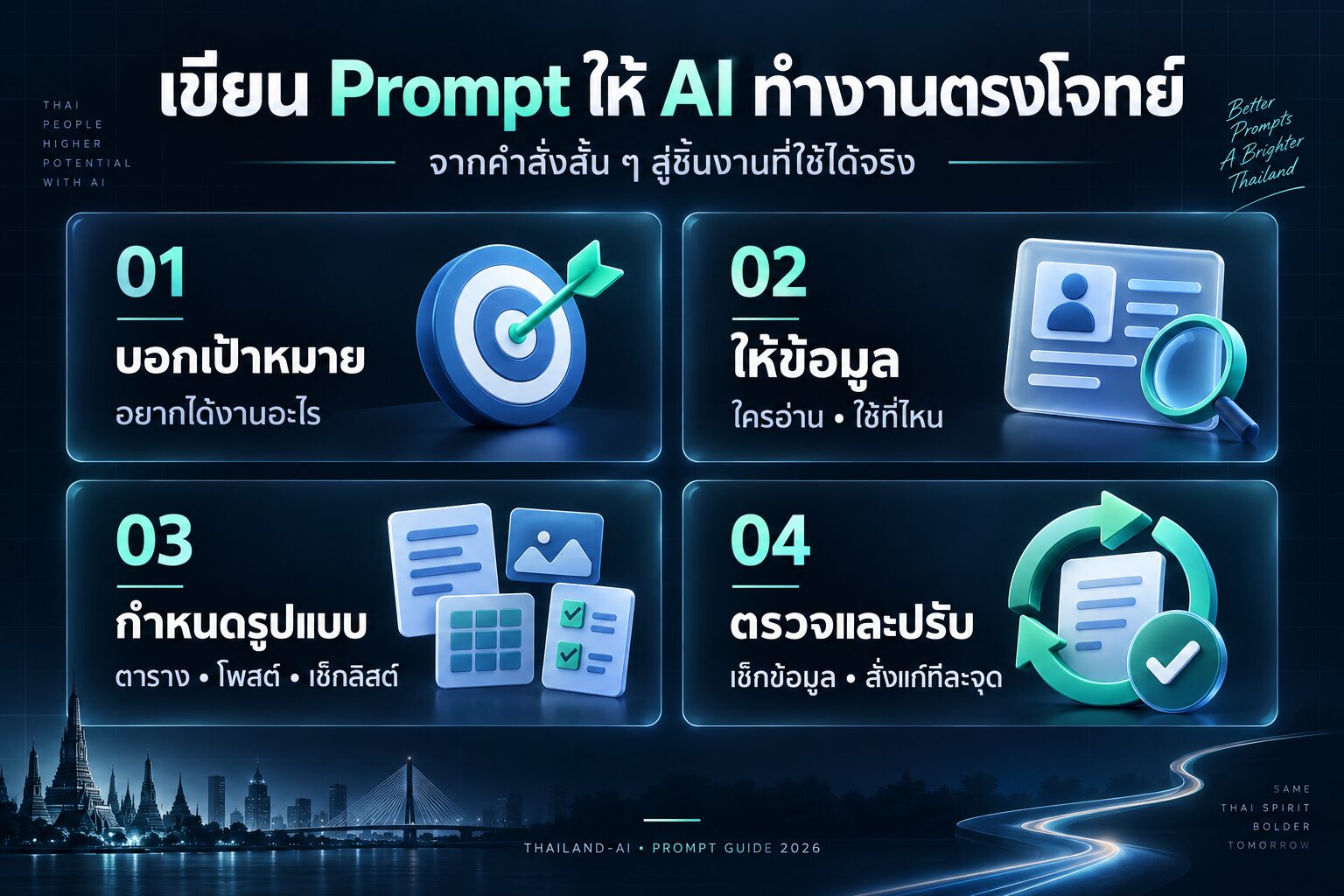
ท่านสามารถเลือกใช้งานAIจากค่ายไหนก็ได้ครับ
| คุณสมบัติ | ChatGPT | Microsoft Copilot | Claude | Gemini | Perplexity |
|---|---|---|---|---|---|
| ผู้พัฒนา | OpenAI | Microsoft | Anthropic | Perplexity AI | |
| โมเดลพื้นฐาน | GPT-3.5/GPT-4 | GPT-4 | Claude | PaLM 2/Gemini | GPT-3.5/GPT-4 |
| การรองรับภาษา | หลายภาษา | หลายภาษา | หลายภาษา | หลายภาษา | หลายภาษา |
| ความสามารถในการประมวลผลภาพ | มี (GPT-4) | มี | มี | มี | มี |
| การเข้าถึงข้อมูลเรียลไทม์ | ไม่มี | มี | ไม่มี | มี | มี |
| ความสามารถในการเขียนโค้ด | ดี | ดีมาก | ดีมาก | ดี | ดี |
| การใช้งานฟรี | มีแบบจำกัด | มี | มีแบบจำกัด | มี | มี |
| แพลตฟอร์มที่รองรับ | เว็บ, มือถือ | Windows, Edge | เว็บ, API | เว็บ, มือถือ, API | เว็บ, มือถือ |
| ความสามารถในการสร้างเนื้อหา | ดีมาก | ดีมาก | ดีมาก | ดีมาก | ดี |
| การอ้างอิงแหล่งข้อมูล | ไม่มี | มี | ไม่มี | มี | มี |
ใช้งานChatGPT https://chatgpt.com/
ใช้งาน microsoft Copilot https://copilot.microsoft.com/
ใช้งาน Gemini https://gemini.google.com/app
ใช้งาน perplexity https://www.perplexity.ai/


การวิจัยคีย์เวิร์ดด้วย AI
- “วิเคราะห์และจัดอันดับคีย์เวิร์ดที่เกี่ยวข้องกับ [หัวข้อ] โดยพิจารณาปริมาณการค้นหา การแข่งขัน และความเกี่ยวข้องกับธุรกิจ”
- “สร้างแผนที่คีย์เวิร์ดสำหรับ [หัวข้อ] โดยแบ่งเป็นกลุ่มตาม user intent และระยะการตัดสินใจซื้อ”
- “ค้นหาคีย์เวิร์ดแบบ long-tail ที่มีโอกาสติดอันดับสูงสำหรับ [ผลิตภัณฑ์/บริการ] พร้อมเสนอแนวทางการสร้างเนื้อหา”
- “วิเคราะห์คีย์เวิร์ดของคู่แข่งใน [อุตสาหกรรม] และระบุช่องว่างทางการตลาดที่เรายังไม่ได้ทำ”
- “สร้างรายการคำถามที่เกี่ยวข้องกับ [หัวข้อ] ที่ผู้ใช้มักค้นหาใน Google เพื่อใช้ในการทำเนื้อหาแบบ FAQ”
การเพิ่ม Organic Traffic
- “วางแผนการสร้างเนื้อหาแบบ pillar content สำหรับ [หัวข้อหลัก] พร้อมหัวข้อย่อยที่เชื่อมโยงกัน”
- “ออกแบบกลยุทธ์การทำ internal linking สำหรับเว็บไซต์ [ชื่อเว็บไซต์] เพื่อกระจาย link juice อย่างมีประสิทธิภาพ”
- “สร้างแผนการทำ content upgrade เพื่อเพิ่ม backlink และ organic traffic สำหรับบทความยอดนิยม 5 อันดับแรกของเว็บไซต์”
- “วางแผนการทำ guest posting บนเว็บไซต์ที่มีอำนาจในวงการ [อุตสาหกรรม] พร้อมเสนอหัวข้อที่น่าสนใจ”
- “ออกแบบแคมเปญ social media ที่กระตุ้นให้เกิดการแชร์และลิงก์กลับมายังเว็บไซต์ของเรา”
SEO Audit Checklist
- “สร้าง checklist สำหรับการตรวจสอบ on-page SEO ของเว็บไซต์ [ชื่อเว็บไซต์] พร้อมคำอธิบายวิธีการแก้ไขปัญหาที่พบ”
- “วิเคราะห์โครงสร้าง URL ของเว็บไซต์และเสนอแนะการปรับปรุงเพื่อให้เป็นมิตรกับ SEO มากขึ้น”
- “ตรวจสอบความเร็วในการโหลดหน้าเว็บและเสนอวิธีการปรับปรุงประสิทธิภาพ”
- “สร้างรายการตรวจสอบ technical SEO ที่ครอบคลุมทั้ง mobile-friendliness, HTTPS, และ structured data”
- “วิเคราะห์คุณภาพของ backlink profile และเสนอแนะวิธีการกำจัดลิงก์ที่เป็นอันตราย”
เทคนิคการติดอันดับหน้า 1 Google
- “สร้างแผนการปรับปรุงเนื้อหาเก่าให้สดใหม่และครอบคลุมมากขึ้น เพื่อรักษาอันดับบน SERP”
- “ออกแบบกลยุทธ์การสร้าง E-A-T (Expertise, Authoritativeness, Trustworthiness) สำหรับเว็บไซต์ [ชื่อเว็บไซต์]”
- “วางแผนการทำ schema markup เพื่อเพิ่มโอกาสการแสดงผลแบบ rich snippet บน SERP”
- “สร้างแนวทางการเพิ่ม dwell time และลด bounce rate เพื่อส่งสัญญาณบวกให้กับ Google”
- “ออกแบบกลยุทธ์การทำ local SEO สำหรับธุรกิจ [ชื่อธุรกิจ] เพื่อติดอันดับใน Google Maps และ local pack”
การใช้ AI ในงาน SEO
- “สร้าง prompt สำหรับการเขียน meta description ที่น่าสนใจและตรงตาม search intent ของผู้ใช้”
- “ออกแบบ prompt สำหรับการสร้าง outline บทความที่ครอบคลุมและตอบโจทย์ user intent”
- “สร้าง prompt สำหรับการวิเคราะห์ SERP และระบุโอกาสในการแซงหน้าคู่แข่ง”
- “ออกแบบ prompt สำหรับการสร้าง FAQ schema markup ที่ตอบคำถามผู้ใช้อย่างครบถ้วน”
- “สร้าง prompt สำหรับการวิเคราะห์ content gap และเสนอแนะหัวข้อเนื้อหาใหม่”
การทำ Technical SEO
- “สร้างแผนการแก้ไขปัญหา crawl budget สำหรับเว็บไซต์ขนาดใหญ่”
- “ออกแบบโครงสร้าง sitemap.xml ที่เหมาะสมสำหรับเว็บไซต์ [ชื่อเว็บไซต์]”
- “วางแผนการใช้ canonical tag เพื่อแก้ปัญหา duplicate content”
- “สร้างแนวทางการทำ pagination ที่เป็นมิตรกับ SEO สำหรับเว็บ e-commerce”
- “ออกแบบกลยุทธ์การใช้ hreflang tag สำหรับเว็บไซต์หลายภาษา”
Content Creation for SEO
- “สร้าง content calendar ที่สอดคล้องกับ keyword research และ user intent”
- “ออกแบบ template สำหรับการเขียนบทความที่เป็นมิตรกับ SEO และ user experience”
- “วางแผนการสร้าง evergreen content ที่สามารถดึงดูด organic traffic ได้ในระยะยาว”
- “สร้างแนวทางการทำ content repurposing เพื่อเพิ่มมูลค่าให้กับเนื้อหาที่มีอยู่”
- “ออกแบบกลยุทธ์การสร้าง visual content ที่สามารถดึงดูด backlink ได้”
Link Building Strategies
- “วางแผนการทำ broken link building โดยใช้เนื้อหาที่มีคุณภาพของเรา”
- “ออกแบบแคมเปญ digital PR เพื่อสร้าง backlink จากสื่อออนไลน์ชั้นนำ”
- “สร้างกลยุทธ์การทำ resource page link building ในวงการ [อุตสาหกรรม]”
- “วางแผนการสร้าง linkable assets ที่มีโอกาสได้รับ backlink สูง”
- “ออกแบบโปรแกรม affiliate ที่ดึงดูดพันธมิตรและสร้าง quality backlink”
การทำ Local SEO
- “สร้างแผนการปรับแต่ง Google My Business ให้สมบูรณ์และน่าสนใจ”
- “ออกแบบกลยุทธ์การรับและตอบรีวิวเพื่อเพิ่มความน่าเชื่อถือในตลาดท้องถิ่น”
- “วางแผนการสร้าง local content ที่ตอบโจทย์ความต้องการของลูกค้าในพื้นที่”
- “สร้างแนวทางการทำ local link building กับธุรกิจและองค์กรในท้องถิ่น”
- “ออกแบบ schema markup สำหรับข้อมูลธุรกิจท้องถิ่นที่ครบถ้วน”
การทำ E-commerce SEO
- “สร้างแผนการปรับแต่ง product pages ให้เป็นมิตรกับ SEO และเพิ่มอัตราการเปลี่ยนเป็นลูกค้า”
- “ออกแบบโครงสร้าง URL ที่เหมาะสมสำหรับเว็บ e-commerce ขนาดใหญ่”
- “วางแผนการจัดการ out-of-stock products เพื่อรักษา SEO value”
- “สร้างกลยุทธ์การทำ internal linking สำหรับ product categories และ subcategories”
- “ออกแบบ template สำหรับ product description ที่เป็นมิตรกับ SEO และเพิ่มยอดขาย”
การวัดผลและวิเคราะห์ SEO
- “สร้าง dashboard สำหรับติดตาม KPI ด้าน SEO ที่สำคัญ”
- “ออกแบบระบบการรายงานผล SEO รายสัปดาห์และรายเดือน”
- “วางแผนการทำ A/B testing สำหรับ on-page elements เพื่อเพิ่มประสิทธิภาพ SEO”
- “สร้างแนวทางการวิเคราะห์ log files เพื่อตรวจสอบการ crawl ของ search engine”
- “ออกแบบระบบการติดตามและวิเคราะห์การเปลี่ยนแปลงอันดับบน SERP”
การทำ SEO สำหรับ Video Content
- “สร้างแผนการทำ YouTube SEO เพื่อเพิ่มยอดวิวและ organic traffic”
- “ออกแบบกลยุทธ์การใช้ video schema markup บนเว็บไซต์”
- “วางแผนการสร้าง video sitemap เพื่อให้ search engine เข้าใจโครงสร้างวิดีโอบนเว็บไซต์”
- “สร้างแนวทางการทำ transcription และ closed captions เพื่อเพิ่มโอกาสติดอันดับ”
- “ออกแบบกลยุทธ์การใช้ video thumbnails ที่ดึงดูดคลิกบน SERP”
การทำ SEO สำหรับ Mobile
- “สร้างแผนการปรับปรุงเว็บไซต์ให้รองรับ mobile-first indexing”
- “ออกแบบ UX สำหรับ mobile ที่เป็นมิตรกับ SEO และผู้ใช้”
- “วางแผนการใช้ AMP (Accelerated Mobile Pages) อย่างมีประสิทธิภาพ”
- “สร้างแนวทางการลดเวลาโหลดหน้าเว็บบน mobile devices”
- “ออกแบบกลยุทธ์การใช้ responsive images เพื่อปรับปรุงการแสดงผลบน mobile”
การทำ SEO สำหรับ Voice Search
- “สร้างแผนการปรับแต่งเนื้อหาให้เหมาะกับ voice search queries”
- “ออกแบบ FAQ ที่ตอบคำถามแบบ natural language สำหรับ voice search”
- “วางแผนการใช้ structured data เพื่อเพิ่มโอกาสการแสดงผลใน voice search results”
- “สร้างกลยุทธ์การทำ local SEO ที่เน้นการตอบสนองต่อคำถาม ‘near me’ ในการค้นหาด้วยเสียง”
- “ออกแบบ content strategy ที่ตอบสนองต่อ long-tail keywords ในรูปแบบคำถาม”
การทำ International SEO
- “สร้างแผนการใช้ hreflang tags สำหรับเว็บไซต์หลายภาษา”
- “ออกแบบโครงสร้าง URL ที่เหมาะสมสำหรับเว็บไซต์ที่มีเป้าหมายหลายประเทศ”
- “วางแผนการสร้าง content localization ที่คำนึงถึงวัฒนธรรมและภาษาท้องถิ่น”
- “สร้างกลยุทธ์การทำ link building ระหว่างประเทศสำหรับแต่ละตลาดเป้าหมาย”
- “ออกแบบ server structure ที่เหมาะสมสำหรับ international SEO (เช่น ccTLDs, subdomains, subdirectories)”

ผมได้ไปเจอคลิปนี้ มีการแจกระบบเทรดของลุงโฉลก ซึ่งเป็น CDC ActionZone ก็เลยเอาไปปรับแต่งเพิ่มนิดๆหน่อยๆ ให้ทำการเปิดสัญญาณซื้อขาย กับเพิ่มสัญลักษณ์การใช้งานให้ง่ายขึ้น

1.เปิดบัญชีทดลอง
ทดลองเทรด Binaryoption (เหมาะก็ต่อเมื่อเปิดดูสัญญาณ TF 1H ขึ้นไป) ฝึกฝนเทรดฟรีคลิกที่นี่
ทดลองเทรดForex (ใช้ได้ดีกับสัญญาณนี้) ฝึกฝนเทรดฟรีคลิกที่นี่
2.ไปที่ https://www.tradingview.com/ แล้วเอาCodeที่ผมแจก ก็อปวางได้เลยครับ

// This source code is subject to the terms of the Mozilla Public License 2.0 at https://mozilla.org/MPL/2.0/
// © piriya33
// Added Labels and alert conditions and other quality of life feature
// Updated compatability with pine script v4
// Based on improvements from "Kitti-Playbook Action Zone V.4.2.0.3 for Stock Market"
//@version=5
strategy('GPT Mod By CDC V3', overlay=true, precision=6, default_qty_type=strategy.percent_of_equity, default_qty_value=10)
//****************************************************************************//
// CDC Action Zone is based on a simple EMA crossover
// between [default] EMA12 and EMA26
// The zones are defined by the relative position of
// price in relation to the two EMA lines
// Different zones can be use to activate / deactivate
// other trading strategies
// The strategy can also be used on its own with
// acceptable result, buy on the first green candle
// and sell on the first red candle
//****************************************************************************//
//****************************************************************************//
// Define User Input Variables
xsrc = input.source(title='Source Data', defval=close)
xprd1 = input.int(title='Fast EMA period', defval=12)
xprd2 = input.int(title='Slow EMA period', defval=26)
xsmooth = input.int(title='Smoothing period (1 = no smoothing)', defval=1)
fillSW = input.bool(title='Paint Bar Colors', defval=true)
fastSW = input.bool(title='Show fast moving average line', defval=true)
slowSW = input.bool(title='Show slow moving average line', defval=true)
labelSwitch = input.bool(title='Turn on assistive text', defval=true)
plotSigsw = input.bool(title='Plot Buy/Sell Signals? ', defval=true)
plotRibsw = input.bool(title='Plot Buy/Sell Ribbon', defval=false)
plotRibbonPos = input.string(title='Ribbon Position', options=['Top', 'Bottom'], defval='Top')
xfixtf = input.bool(title='** Use Fixed time frame Mode (advanced) **', defval=false)
xtf = input.timeframe(title='** Fix chart to which time frame ? **)', defval='D')
plotSig2sw = input.bool(title='Plot momentum based Buy/Sell Signals? ', defval=false)
plotSig2lv = input.int(title='Set signal threshold (higher = stricter)', defval=1, minval=0, maxval=1)
//****************************************************************************//
//Calculate Indicators
f_secureSecurity(_symbol, _res, _src) => request.security(_symbol, _res, _src[1], lookahead = barmerge.lookahead_on) // Using f_secureSecurity to avoid repainting
xPrice = ta.ema(xsrc, xsmooth)
FastMA = xfixtf ?
ta.ema(f_secureSecurity(syminfo.tickerid, xtf, ta.ema(xsrc, xprd1)), xsmooth)
:
ta.ema(xPrice, xprd1)
SlowMA = xfixtf ?
ta.ema(f_secureSecurity(syminfo.tickerid, xtf, ta.ema(xsrc, xprd2)), xsmooth)
:
ta.ema(xPrice, xprd2)
Bull = FastMA > SlowMA
Bear = FastMA < SlowMA
//****************************************************************************//
// Define Color Zones
Green = Bull and xPrice > FastMA // Buy
Blue = Bear and xPrice > FastMA and xPrice > SlowMA //Pre Buy 2
LBlue = Bear and xPrice > FastMA and xPrice < SlowMA //Pre Buy 1
Red = Bear and xPrice < FastMA // Sell
Orange = Bull and xPrice < FastMA and xPrice < SlowMA // Pre Sell 2
Yellow = Bull and xPrice < FastMA and xPrice > SlowMA // Pre Sell 1
//****************************************************************************//
// Display color on chart
bColor = Green ? color.green :
Blue ? color.blue :
LBlue ? color.aqua :
Red ? color.red :
Orange ? color.orange :
Yellow ? color.yellow :
color.black
barcolor(color=fillSW ? bColor : na)
//****************************************************************************//
// Display MA lines
FastL = plot(fastSW ? FastMA : na, 'Fast EMA', color=color.new(color.red, 0), style = xfixtf ? plot.style_stepline : plot.style_line)
SlowL = plot(slowSW ? SlowMA : na, 'Slow EMA', color=color.new(color.blue, 0), style = xfixtf ? plot.style_stepline : plot.style_line)
fillcolor = Bull ? color.new(color.green,90) : Bear ? color.new(color.red,90) : color.new(color.black,90) // fillcolor = Bull ? color.green : Bear ? color.red : color.black
fill(FastL, SlowL, fillcolor) // fill(FastL, SlowL, fillcolor, transp=90)
//****************************************************************************//
// Define Buy and Sell condition
// This is only for thebasic usage of CDC Actionzone (EMA Crossover)
// ie. Buy on first green bar and sell on first red bar
buycond = Green and Green[1] == 0
sellcond = Red and Red[1] == 0
bullish = ta.barssince(buycond) < ta.barssince(sellcond)
bearish = ta.barssince(sellcond) < ta.barssince(buycond)
buy = bearish[1] and buycond
sell = bullish[1] and sellcond
bColor_BullBear = bullish ? color.green : bearish ? color.red : color.black
//****************************************************************************//
// Plot Buy and Sell point on chart
plotshape(plotSigsw ? buy : na,
style=shape.labelup,
title='Buy Signal',
location=location.belowbar,
color=color.new(color.green, 0),
text="BUY")
plotshape(plotSigsw ? sell : na,
style=shape.labeldown,
title='Sell Signal',
location=location.abovebar,
color=color.new(color.red, 0),
text="SELL")
// Display Buy/Sell Ribbon
plotshape(plotRibsw ? plotRibbonPos == 'Top' ? close : na : na,
style=shape.square,
title='Buy/Sell Ribbon',
location=location.top,
color=bColor_BullBear)
plotshape(plotRibsw ? plotRibbonPos == 'Bottom' ? close : na : na,
style=shape.square,
title='Buy/Sell Ribbon',
location=location.bottom,
color=bColor_BullBear)
//****************************************************************************//
// Label
labelstyle = close > SlowMA ? label.style_label_down : label.style_label_up
labelyloc = close > SlowMA ? yloc.abovebar : yloc.belowbar
labeltcolor = buy ? color.black :
sell ? color.white :
close > close[1] ? color.green :
color.red
labelbgcolor = buy ? color.green : sell ? color.red : color.silver
labeltext = buy ? 'BUY next bar\n' : sell ? 'SELL next bar\n' : ' '
trendText = bullish ? 'bullish' : bearish ? 'bearish' : 'sideways'
l1 = label.new(bar_index, na,
text=labeltext + syminfo.ticker + ' ' + str.tostring(close) + ' ' + syminfo.currency + '\n currently in a ' + trendText + ' trend \n',
color=labelbgcolor,
textcolor=labeltcolor,
yloc=labelyloc,
style=labelstyle)
label.delete(labelSwitch ? l1[1] : l1)
// Momentum Signal using StochRSI
// Adds a momentum based signal following trends to the script
// Default is hidden, only use with caution
// Parameters for STOCH RSI is hard-coded to avoid cluttering the input screen further
// If you need to change anything, make a copy of the code and change it.
// Inputs are commented out, to enable them comment out the hard coded variables first!
// fixed inputs //
smoothK = 3
smoothD = 3
RSIlen = 14
STOlen = 14
SRsrc = close
OSlevel = 30
OBlevel = 70
// User inputs // // COMMENT ABOVE VARIABLES FIRST!!
// smoothK = input(3,"StochRSI smooth K",type=input.integer,minval=1)
// smoothD = input(3,"StochRSI smooth D",type=input.integer,minval=1)
// RSIlen = input(14,"RSI length",type=input.integer,minval=1)
// STOlen = input(14,"Stochastic length",type=input.integer,minval=1)
// SRsrc = input(close,"Source for StochasticRSI",type=input.source)
// OSlevel = input(30,"Oversold Threshold",type=input.float,minval=0.00)
// OBlevel = input(70,"Oversold Threshold",type=input.float,minval=0.00)
// calculations //
rsi1 = ta.rsi(SRsrc, RSIlen)
k = ta.sma(ta.stoch(rsi1, rsi1, rsi1, STOlen), smoothK)
d = ta.sma(k, smoothD)
// storsiBuySig = if bullish
// if (d < OSlevel and crossover(k,d))
// 3
// else if crossover(k,OSlevel)
// 2
// else if d > OSlevel and crossover(k,d)
// 1
// else
// 0
// else
// 0
crossover_1 = ta.crossover(k, d)
crossover_2 = ta.crossover(k, d)
iff_1 = d > OSlevel and crossover_2 ?
1 : 0
iff_2 = d < OSlevel and crossover_1 ?
2 : iff_1
storsiBuySig = bullish ? iff_2 : 0
crossunder_1 = ta.crossunder(k, d)
crossunder_2 = ta.crossunder(k, d)
iff_3 = d < OBlevel and crossunder_2 ?
1 : 0
iff_4 = d > OBlevel and crossunder_1 ?
2 : iff_3
storsiSellSig = bearish ? iff_4 : 0
plotshape(plotSig2sw ? storsiBuySig > plotSig2lv ? storsiBuySig : na : na,
'Buy more signals', style=shape.triangleup,
location=location.belowbar, color=color.new(color.teal, 0))
plotshape(plotSig2sw ? storsiSellSig > plotSig2lv ? storsiSellSig : na : na,
'Sell more signals', style=shape.triangledown,
location=location.abovebar, color=color.new(color.orange, 0))
//****************************************************************************//
// Alert conditions
alertcondition(buy,
title='*Buy Alert',
message='Buy {{exchange}}:{{ticker}}')
alertcondition(sell,
title='*Sell Alert',
message='Sell {{exchange}}:{{ticker}}')
alertcondition(bullish,
title='is Bullish')
alertcondition(bearish,
title='is Bearish')
alertcondition(Green,
title='is Green')
alertcondition(Blue,
title='is Blue (Strong Rally)')
alertcondition(LBlue,
title='is Light Blue (Rally)')
alertcondition(Red,
title='is Red')
alertcondition(Orange,
title='is Orange (Strong Dip)')
alertcondition(Yellow,
title='is Yellow (Dip)')
//****************************************************************************//
// Entry and Exit Strategy
if (buy)
strategy.entry("Buy", strategy.long)
if (sell)
strategy.close("Buy")
การทำ SEO สำหรับ E-A-T (Expertise, Authoritativeness, Trustworthiness)
- “สร้างแผนการพัฒนา author profiles เพื่อแสดงความเชี่ยวชาญของผู้เขียน”
- “ออกแบบหน้า About Us ที่สร้างความน่าเชื่อถือและแสดงความเชี่ยวชาญของบริษัท”
- “วางแผนการสร้าง high-quality backlinks จากแหล่งที่มีอำนาจในวงการ”
- “สร้างกลยุทธ์การนำเสนอข้อมูลทางการเงินและความปลอดภัยของเว็บไซต์”
- “ออกแบบระบบการอ้างอิงและการตรวจสอบข้อเท็จจริงสำหรับเนื้อหาบนเว็บไซต์”
การทำ SEO สำหรับ Rich Snippets และ Featured Snippets
- “สร้างแผนการใช้ structured data เพื่อเพิ่มโอกาสการแสดงผลแบบ rich snippets”
- “ออกแบบเนื้อหาที่มีโอกาสติด featured snippets สูง”
- “วางแผนการปรับปรุง FAQ pages เพื่อให้ได้ featured snippets แบบ Q&A”
- “สร้างกลยุทธ์การใช้ table และ list format เพื่อดึงดูด featured snippets”
- “ออกแบบ how-to content ที่มีโครงสร้างชัดเจนเพื่อเพิ่มโอกาสติด featured snippets”
การทำ SEO สำหรับ Core Web Vitals
- “สร้างแผนการปรับปรุง Largest Contentful Paint (LCP) ของเว็บไซต์”
- “ออกแบบกลยุทธ์การลด First Input Delay (FID) เพื่อเพิ่มการตอบสนองของหน้าเว็บ”
- “วางแผนการแก้ไขปัญหา Cumulative Layout Shift (CLS) เพื่อปรับปรุงความเสถียรของหน้าเว็บ”
- “สร้างแนวทางการใช้ lazy loading อย่างมีประสิทธิภาพเพื่อปรับปรุง Core Web Vitals”
- “ออกแบบระบบการติดตามและรายงานผล Core Web Vitals อย่างต่อเนื่อง”
การทำ SEO สำหรับ SaaS และ B2B
- “สร้างแผนการทำ SEO สำหรับ landing pages ของผลิตภัณฑ์ SaaS”
- “ออกแบบ content strategy ที่ครอบคลุม full-funnel สำหรับลูกค้า B2B”
- “วางแผนการสร้าง thought leadership content เพื่อดึงดูดลูกค้าองค์กร”
- “สร้างกลยุทธ์การทำ SEO สำหรับ case studies และ success stories”
- “ออกแบบระบบการติดตาม SEO metrics ที่สอดคล้องกับ B2B sales cycle”
การใช้ AI และ Machine Learning ในงาน SEO
- “สร้างแผนการใช้ AI เพื่อวิเคราะห์ user intent และปรับปรุงเนื้อหาให้ตรงกับความต้องการ”
- “ออกแบบระบบ machine learning สำหรับการทำนายแนวโน้มของ keyword และ topic”
- “วางแผนการใช้ AI ในการสร้าง automated reporting และการวิเคราะห์ข้อมูล SEO”
- “สร้างกลยุทธ์การใช้ AI เพื่อปรับปรุง internal linking structure อัตโนมัติ”
- “ออกแบบระบบ AI สำหรับการตรวจจับและแก้ไขปัญหา technical SEO อัตโนมัติ”
ใช้ AI ทำงานได้จริง ตั้งแต่พื้นฐานถึง Automation
หลักสูตรออนไลน์สำหรับเจ้าของธุรกิจ นักการตลาด ครีเอเตอร์ ฟรีแลนซ์ และคนทำงานที่อยากใช้ AI ช่วยคิดงาน ทำคอนเทนต์ วางแผนการตลาด สร้างภาพ วิดีโอ และเริ่มต่อระบบอัตโนมัติอย่างเป็นขั้นตอน
เรียนแล้วควรนำ AI ไปใช้กับงานจริงได้ทันที
คอร์สนี้ออกแบบให้เริ่มจากพื้นฐานที่จำเป็น แล้วค่อยพาไปสู่การประยุกต์ใช้กับงานธุรกิจ การตลาด คอนเทนต์ และระบบอัตโนมัติ โดยมีตัวอย่างให้ทำตามเป็นขั้นตอน
เลือกใช้เครื่องมือ AI ได้ถูกงาน
เข้าใจ ChatGPT, Gemini, Perplexity, My GPTs และพื้นฐานการเขียน Prompt ให้ได้คำตอบที่นำไปใช้ต่อได้
ทำคอนเทนต์ได้เป็นระบบขึ้น
ใช้ AI ช่วยคิดโพสต์ เขียนแคปชั่น ทำภาพ วิดีโอ สคริปต์ และจัดเตรียมไอเดียคอนเทนต์สำหรับใช้งานต่อเนื่อง
ต่อยอดกับงานขายและการตลาด
มีตัวอย่างสำหรับ SEO เพจขายของ YouTube Customer Service การวางแผนธุรกิจ และ Prompt สำหรับงานการตลาดหลายรูปแบบ
เริ่มลดงานซ้ำด้วย Automation
เรียนแนวคิดและตัวอย่างการใช้ n8n, Make, Claude Code, Workflow การโพสต์ และระบบอัตโนมัติที่นำไปปรับใช้กับงานของตัวเองได้
9 Module ที่พาคุณใช้ AI ได้ครบกว่าแค่ถามตอบ
เนื้อหาถูกจัดจากพื้นฐาน เครื่องมือหลัก ตัวอย่างธุรกิจ Prompt สร้างสื่อ เครื่องมือเสริม การเงิน และ Automation เพื่อให้เรียนต่อเนื่องได้โดยไม่กระโดดข้ามขั้น
ปูพื้นฐาน AI
เริ่มจากเครื่องมือหลักและวิธีคิดที่ต้องมี เพื่อไม่ให้ใช้ AI แบบลองผิดลองถูก
- ChatGPT, Gemini/Bard, Bing และ Perplexity
- พื้นฐาน Prompt, Plugin และ My GPTs
- Midjourney, KLING AI และ Meta AI
โปรเจกต์ฝึกทำธุรกิจจริง
ตัวอย่างงานที่ใกล้กับธุรกิจจริง ช่วยให้เห็นวิธีนำ AI ไปปรับใช้กับงานของตัวเองได้ง่ายขึ้น
- ธุรกิจสอนภาษา การตลาด เพจข่าว YouTube
- Customer Service, DALL-E, Gemini, Dashboard
- สคริปต์ช่วยทำคลิปและงานซ้ำบน Mac
การประยุกต์ใช้ AI
รวมบทเรียนใช้งานจริงหลากหลายสาย ตั้งแต่งานเขียน งานเว็บ การตลาด ภาพ วิดีโอ และงานข้อมูล
- เขียนเว็บ SEO สคริปต์ YouTube และบทความขาย
- สร้าง Logo, Pixel Art, ห้อง 3D, Video และ Avatar
- Make.com, Gamma, Qwen, Claude, Deepseek
คลัง Prompt พร้อมใช้
มี Prompt จัดหมวดสำหรับงานขาย งานการตลาด งานวางแผน และงานวิเคราะห์ เพื่อช่วยให้เริ่มงานได้เร็วขึ้น
- Marketing, Blog, Ads, YouTube, Facebook
- High-ticket Sales, Copywriting, Strategy
- Data Analytics, Finance และ Research
คำสั่งสร้างรูป AI
คลังคำสั่งสำหรับคนทำแบรนด์ คอนเทนต์ ร้านค้า และนักออกแบบที่อยากผลิตภาพไวขึ้น
- Sticker, Wallpaper, ท่องเที่ยว, ร้านกาแฟ
- Prompt ภาพการตลาดและภาพคุมโทน
- รวม Prompt สร้างรูป 1,000+ สไตล์
รวม eBook และไฟล์เสริม
คลังอ่านต่อสำหรับเพิ่มผลิตภาพ วางแผนธุรกิจ การตลาด การเงิน และการใช้ ChatGPT ในชีวิตจริง
- 600+ Business Prompts และ 299 Marketing Prompts
- 300 ไอเดียต่อยอดงานและธุรกิจด้วย ChatGPT
- Productivity, Customer Support, LINE, TikTok, Facebook
AI การเงินและ Trading
เรียนรู้การใช้ AI เพื่อช่วยศึกษาแนวคิดการวิเคราะห์ตลาดและเครื่องมือเทคนิคอลอย่างเป็นระบบ
- Pinescript, RSI/MFI, แนวรับแนวต้าน
- Golden Cross, Zigzag, Kernel, Volume Profile
- Candlestick Pattern และระบบเทรดจาก ChatGPT
รวมเครื่องมือ AI
ช่วยประหยัดเวลาหาเครื่องมือ มีหมวดให้เลือกตามงานจริงที่ต้องทำ
- เขียนและสร้างเนื้อหา, ดีไซน์, ภาพ, วิดีโอ, เสียง
- ธุรกิจ การตลาด Productivity และ Chatbot
- เว็บ No-code, PDF, Quiz และเครื่องมือเฉพาะทาง
AI Automation
ต่อยอดจากการใช้ AI ทีละงาน ไปสู่การเชื่อมเครื่องมือและลดขั้นตอนซ้ำๆ ด้วยระบบอัตโนมัติ
- Claude Code, Skill, Antigravity และงานโค้ด
- Caption Auto, ข่าวอัตโนมัติ, Adverra, แชร์โพสต์
- n8n, Make, Podcast to YouTube และตัวอย่างระบบ E-commerce
คอร์สออนไลน์พร้อมทรัพยากรสำหรับนำไปใช้ต่อ
นอกจากวิดีโอเรียน ยังมี Prompt, eBook, รายชื่อเครื่องมือ และตัวอย่าง Workflow เพื่อให้ผู้เรียนนำไปปรับใช้กับงานจริงได้ง่ายขึ้น
ระบบเรียนออนไลน์ครบชุด
เรียนตั้งแต่พื้นฐาน เครื่องมือหลัก การประยุกต์ใช้ ไปจนถึง Automation ดูซ้ำได้ตามเวลาที่สะดวก
Prompt และ Template พร้อมใช้
ครอบคลุมงานขาย โฆษณา แคปชั่น บทความ SEO, YouTube, Research และการวางกลยุทธ์
เครื่องมือและไฟล์เสริม
รวม eBook, รายชื่อเครื่องมือ AI, Prompt สร้างรูป และตัวอย่าง Workflow สำหรับศึกษาเพิ่มเติม
อัปเดตเนื้อหาใหม่ตลอดชีพ
เมื่อมีการเพิ่มบทเรียนใหม่ ผู้เรียนสามารถกลับมาเรียนเนื้อหาอัปเดตได้ตามสิทธิ์ของคอร์ส
- คอร์สออนไลน์ AI Master Class 2026 ครบทุก Module
- ดูซ้ำได้ตลอดชีพ ไม่มีหมดอายุ
- รับอัปเดตบทเรียนใหม่ในอนาคต
- Prompt, eBook, เครื่องมือ และไฟล์ Workflow ที่เกี่ยวข้อง
- เหมาะกับคนทำธุรกิจ ครีเอเตอร์ ฟรีแลนซ์ และคนทำงาน
สิ่งที่ได้ในราคา 4,990
รวมเนื้อหาเรียนและทรัพยากรประกอบที่ช่วยให้เริ่มใช้ AI กับงานได้หลายด้าน โดยไม่ต้องเสียเวลารวบรวมเองจากหลายแหล่ง
พื้นฐาน AI และ Prompt
พื้นฐาน ChatGPT, Gemini, Perplexity, Prompt, My GPTs และการใช้งาน AI ตัวหลัก
โปรเจกต์ตัวอย่างธุรกิจ
เคสสอนภาษา การตลาด เพจข่าว YouTube Customer Service และ Dashboard
คลัง Prompt พร้อมใช้
คลัง Prompt สำหรับ Marketing, Ads, SEO, Sales, Finance, Research และ Strategy
ชุดคำสั่งสำหรับครีเอเตอร์
Prompt สร้างรูป 1,000+ แบบ, ไอเดียคอนเทนต์, ภาพ, วิดีโอ และคำสั่งสำหรับครีเอเตอร์
เริ่มต้น Automation
n8n, Make, Claude Code, Caption Auto, Podcast to YouTube และตัวอย่าง Workflow ต่อระบบ
เครื่องมือ AI และ eBook
รวมเครื่องมือ AI หลายหมวดและ eBook สำหรับ Productivity, Business, Marketing และ Finance
คอร์สนี้เหมาะกับใคร
เหมาะกับคนที่อยากเรียน AI แบบนำไปใช้กับงานประจำ ธุรกิจ หรือคอนเทนต์ของตัวเอง มากกว่าการเรียนทฤษฎีอย่างเดียว
ตอบข้อสงสัยก่อนสมัคร
ไม่มีพื้นฐาน AI เรียนได้ไหม?
เรียนได้ เพราะ Module 1 ปูตั้งแต่เครื่องมือหลัก วิธีเขียน Prompt และวิธีเลือกใช้ AI ให้เหมาะกับงาน ก่อนพาไปโปรเจกต์ฝึกทำและ Automation
ราคา 4,990 ได้อะไรบ้าง?
ได้คอร์สออนไลน์ทั้ง 9 Module, Prompt Library, eBook, รายชื่อเครื่องมือ AI, คำสั่งสร้างภาพ, เนื้อหา Automation และอัปเดตใหม่ในอนาคต
สมัครแล้วดูได้นานแค่ไหน?
ดูซ้ำได้ตลอดชีพ ไม่มีรายเดือน และเมื่อมีบทเรียนอัปเดตใหม่ก็สามารถเรียนเพิ่มได้ตามสิทธิ์ของคอร์ส
เริ่มใช้ AI กับงานจริงอย่างเป็นระบบ
สมัครคอร์สออนไลน์ AI Master Class 2026 ราคา 4,990 บาท เรียนได้ตามเวลา และกลับมาดูซ้ำได้เมื่อต้องใช้งาน